
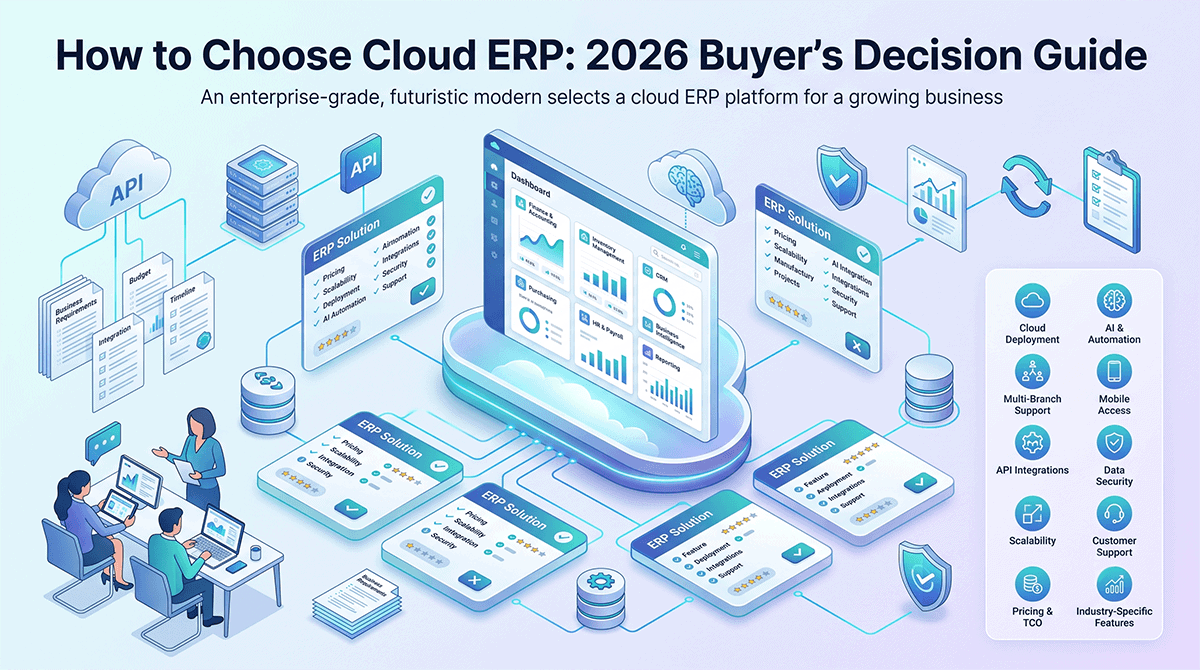
The first step in choosing cloud ERP is defining your business requirements: identify must-have modules (accounting, inventory, CRM, HR), document current processes, set budget ($50,000-$300,000 for 3-year TCO), and define timeline (2-4 weeks for fast deployment vs 6-12 months for complex implementation).
Choosing the wrong cloud ERP is costly. Implementations take 6-12 months for complex systems, investments range from $50,000 to $500,000, and failed deployments disrupt teams. With 100+ vendors, 10+ pricing models, and 50+ features to evaluate, the selection process requires a structured approach. This guide provides a step-by-step evaluation framework, vendor scorecard, decision tree, and 10 must-ask questions for 2026.
Step 1 — Define Your Business Requirements
Identify Your Core Needs
Industry vertical: Your industry determines which modules you need. Retail requires POS and inventory management. Manufacturing needs bill of materials and production planning. Healthcare requires patient records and HIPAA compliance. Hospitality needs reservations and property management. Education needs student records and attendance tracking.
Company size: User count affects pricing and complexity. 1-10 users (small business) needs simple onboarding. 10-100 users (mid-market) needs workflow customization. 100+ users (enterprise) needs multi-entity management and advanced permissions.
Primary pain points: List your specific problems. Manual invoicing slowing cash flow? Inventory errors causing stockouts? Multi-location management without visibility? Compliance reporting taking days instead of hours?
Must-have modules: Core ERP modules include financial accounting (general ledger, accounts payable, accounts receivable), inventory management, CRM (customer relationship management), HR/payroll, manufacturing/MRP, and e-commerce integrations.
Nice-to-have features: Secondary features include mobile apps for remote access, multi-currency for international sales, multi-language for global teams, and API access for custom integrations.
Document Your Current Processes
Map existing workflows step-by-step. For example, purchase order → receiving → invoice matching → payment approval. Identify bottlenecks where manual data entry occurs between systems (e.g., copying data from email to QuickBooks to Excel).
Measure baseline metrics before ERP selection. Track order processing time, invoicing error rate, inventory accuracy percentage, and month-end close duration. These baseline metrics help calculate ROI after implementation.
List current software systems. QuickBooks for accounting, Excel for inventory tracking, Shopify for e-commerce, Stripe for payments, Mailchimp for marketing. Your new ERP must integrate with existing tools or replace them entirely.
Set Your Budget
Licensing budget: $500-$5,000 per month for 10-50 users depending on vendor and modules. See the cloud ERP pricing guide for detailed vendor comparison.
Implementation budget: $10,000-$100,000 one-time cost. Depends on data migration complexity, number of modules, custom integrations, and training requirements.
3-year total cost of ownership (TCO): $50,000-$300,000 including licensing, implementation, training, support, and customization.
ROI target: 20-30% efficiency gain pays back ERP investment in 12-24 months. Calculate expected time savings from automation.
Define Your Timeline
Urgency: Immediate deployment (2-4 weeks) requires SaaS cloud ERP with minimal customization. Near-term deployment (3-6 months) allows moderate customization. Planned deployment (6-12 months) supports complex on-premise or hybrid systems.
Go-live deadline: Avoid launching during critical business periods. Don’t go live during tax season (accounting disruption), holiday sales (retail peak), or fiscal year-end (month-end close complexity).
Implementation capacity: Do you have a dedicated project manager and IT resources? Without internal capacity, plan for longer timelines or hire external consultants.
Step 2 — Understand Cloud ERP Deployment Models
SaaS Cloud ERP
Vendor-hosted, multi-tenant, subscription-based cloud ERP. Examples include Odoo, NetSuite, SAP Business ByDesign, Microsoft Dynamics 365 Business Central.
Pros: Low upfront cost ($500-$5,000/month vs $50,000-$500,000 perpetual license). Automatic updates handled by vendor. Fast deployment (2-4 weeks for standard setups).
Cons: Less customization (vendor-controlled features). Data hosted by vendor (less control). Monthly ongoing costs rather than one-time purchase.
Best for: SMBs, companies with limited IT resources, fast-growing businesses needing scalability.
On-Premise ERP
Self-hosted, full control, perpetual license. Examples include traditional SAP ERP, Oracle ERP, or custom-built systems.
Pros: Full customization with source code access. Data sovereignty (you control where data is stored). One-time license cost rather than recurring subscription.
Cons: High upfront cost ($50,000-$500,000). Slow deployment (6-12 months). Requires dedicated IT staff for maintenance, security, backups, and updates.
Best for: Large enterprises, regulated industries (healthcare, finance) with data sovereignty requirements, companies with existing IT infrastructure.
Hybrid Cloud ERP
Mix of cloud and on-premise modules. For example, financial data on-premise for security, CRM in cloud for remote access.
Pros: Flexibility to keep sensitive data on-premise while using cloud for collaboration tools. Gradual migration from on-premise to cloud.
Cons: Complex integration between on-premise and cloud systems. Higher maintenance overhead managing two environments.
Best for: Mid-market companies transitioning from on-premise to cloud, regulated industries with selective data sovereignty needs.
White-Label ERP (for Resellers)
Partner vendor provides ERP platform, reseller rebrands it as their own product. Examples include Global IT Vision and GetQuantic white-label programs.
Pros: Recurring revenue model with high margins (40-60% wholesale discount). No development cost (vendor builds and maintains software). Upsell additional modules to existing clients.
Cons: Requires sales and support infrastructure. Vendor dependency (you don’t control the product roadmap). Must provide first-line support to end clients.
Best for: MSPs (managed service providers), VARs (value-added resellers), IT services companies serving SMBs who want to add ERP to their portfolio.
Step 3 — Evaluate Cloud ERP Vendors (Scorecard)
Vendor Evaluation Criteria (Scorecard Template)
Compare cloud ERP vendors using a weighted scorecard. Rate each vendor on 10 criteria, multiply by weight, and sum for total score.
| Criteria | Weight | Vendor A | Vendor B | Vendor C |
|---|---|---|---|---|
| Pricing (fits budget) | 20% | 8/10 = 1.6 | 6/10 = 1.2 | 7/10 = 1.4 |
| Features (meets requirements) | 20% | 7/10 = 1.4 | 9/10 = 1.8 | 8/10 = 1.6 |
| Ease of use (user-friendly UI) | 15% | 9/10 = 1.35 | 7/10 = 1.05 | 8/10 = 1.2 |
| Implementation speed (time to go-live) | 10% | 8/10 = 0.8 | 5/10 = 0.5 | 7/10 = 0.7 |
| Integrations (connects to existing tools) | 10% | 7/10 = 0.7 | 8/10 = 0.8 | 6/10 = 0.6 |
| Support quality (response time, expertise) | 10% | 8/10 = 0.8 | 7/10 = 0.7 | 9/10 = 0.9 |
| Customization (flexibility for unique needs) | 5% | 6/10 = 0.3 | 9/10 = 0.45 | 7/10 = 0.35 |
| Scalability (grows with business) | 5% | 8/10 = 0.4 | 8/10 = 0.4 | 7/10 = 0.35 |
| Vendor reputation (reviews, case studies) | 3% | 7/10 = 0.21 | 9/10 = 0.27 | 8/10 = 0.24 |
| White-label options (for resellers) | 2% | 0/10 = 0 | 0/10 = 0 | 10/10 = 0.2 |
| Total Weighted Score | 100% | 7.56 | 7.17 | 7.54 |
How to use this scorecard:
- List 3-5 vendors you’re evaluating (request demos from all).
- Rate each vendor on a 1-10 scale for each criterion.
- Multiply rating by weight to get weighted score.
- Sum weighted scores to get total score.
- Highest score indicates best fit, but also trust qualitative factors (team culture fit, vendor responsiveness).
Where to Find Vendor Information
Vendor websites: Review pricing pages, feature lists, case studies, and whitepapers. Download product documentation.
Review platforms: G2, Capterra, TrustRadius provide real customer reviews with pros, cons, and ratings. Filter by company size and industry.
Industry reports: Gartner Magic Quadrant and Forrester Wave rank enterprise software vendors by market presence and capabilities.
YouTube demos: Search “[vendor name] demo” or “[vendor name] tutorial” for product walkthroughs. Watch 3-5 videos to understand UI.
Reddit and Quora: Search “[vendor name] review” for unfiltered opinions. Reddit users share implementation horror stories and success stories.
LinkedIn: Check vendor’s customer list, partnership announcements, and employee count. High employee turnover is a red flag.
Step 4 — Request Demos & Trials
How to Run an Effective Demo
Prepare demo scenario using your actual data. Don’t accept vendor’s generic demo data. Provide sample customers, products, invoices, and purchase orders. The vendor should demonstrate workflows with your data.
Test critical workflows end-to-end. For example, create purchase order → receive inventory → generate invoice → post to general ledger. Time how long each step takes.
Involve end users from each department. Have accounting, warehouse, and sales teams test the UI. They’ll identify usability issues management might miss.
Ask “what if” questions. What if we need custom reports? What if we add 50 users next year? What if we need multi-currency support later? Test vendor’s flexibility.
Record the demo. Take screenshots or video for later comparison. You’ll forget details after demoing 5 vendors.
Key Questions to Ask During Demo
- How long does typical implementation take for a company our size? (Get specific timeline, not generic “2-4 weeks”.)
- What data migration support do you provide? (Cost? Timeline? Do they extract data from our old system or do we provide CSV files?)
- Can you demo the mobile app? (Critical for remote teams, warehouse staff, field sales.)
- How do custom reports work? (Drag-and-drop UI or SQL required? Can end users create reports or only admins?)
- What integrations are pre-built vs custom development? (QuickBooks, Shopify, Stripe pre-built? Or custom API integration at $5,000-$10,000?)
- What’s your support model? (Email only? Phone? 24/7 or business hours? Response time SLA?)
- Can you show us 2-3 customer case studies similar to our industry? (Retail, manufacturing, healthcare, etc.)
- What’s the total 3-year cost? (Licensing + implementation + support + customization.)
- What’s the cancellation policy? (30-day notice? Annual contract lock-in? Data export fees?)
- Do you offer white-label options for resellers? (If you’re an MSP/VAR serving SMBs.)
Trial Period Best Practices
Request 14-30 day free trial. Most vendors offer this after demo.
Test with 3-5 real users from different departments (accounting, warehouse, sales). Don’t rely on one person’s opinion.
Import sample data (50-100 customers, products, invoices) rather than browsing empty system. Real data reveals usability issues.
Run daily operations in trial environment. Process real purchase orders, create real invoices, generate real financial reports. Don’t just browse features.
Measure time savings versus current system. For example, invoicing: 10 minutes per invoice in QuickBooks → 2 minutes in new ERP = 80% time savings.
Step 5 — Check References & Case Studies
What to Look for in Case Studies
Industry match: Case study should be in same vertical as yours (retail, manufacturing, healthcare, hospitality, education). Vertical-specific needs differ significantly.
Company size match: Similar revenue, user count, and location count. A 500-employee manufacturer’s case study doesn’t apply to a 10-employee retailer.
Problem solved: Did they solve your pain point? If you need inventory accuracy, look for case studies mentioning inventory error reduction (e.g., “reduced inventory errors from 15% to 2%”).
ROI achieved: Quantified results matter. “30% faster invoicing,” “20% inventory error reduction,” “50% faster month-end close,” “12-month payback period.”
Implementation timeline: How long did it really take? Case studies reveal realistic timelines (e.g., “8 weeks from kickoff to go-live”).
How to Contact References
Ask vendor for 3-5 customer references in your industry and company size range.
Request LinkedIn contact, not just email. Verify references are real people (check LinkedIn profile, job title, company).
Schedule 15-20 minute phone call rather than email Q&A. Phone calls reveal tone and honesty.
Questions to ask references:
- What surprised you during implementation (good or bad)?
- How long did it really take to go live (vs vendor estimate)?
- What would you do differently if starting over?
- How responsive is support when you have issues (actual response time)?
- Have you experienced any hidden costs or surprise fees?
- Would you choose this vendor again (honest opinion)?
Red Flags to Watch For
No case studies: Vendor can’t provide customer success stories. Indicates immature product or poor customer retention.
No references in your industry: All case studies from different verticals. Vendor lacks expertise in your industry’s specific needs.
Negative reviews on G2/Capterra: Pattern of support complaints, hidden fees, or poor implementation quality. Read 10-20 recent reviews.
High employee turnover: Check vendor’s LinkedIn company page. If account managers and support staff change frequently, expect poor continuity.
Vague pricing: “Contact us for quote” with zero pricing transparency. Expect aggressive negotiation pressure and hidden fees.
Step 6 — Negotiate Pricing & Contract Terms
Pricing Negotiation Tactics
Annual prepay discount: Offer to pay 12 months upfront for 10-20% discount. Most vendors offer this incentive.
Multi-year contract: Lock in 2-3 year pricing to avoid annual increases (typically 5-10% per year).
Remove unused modules: Don’t pay for features you won’t use. Start with core accounting and inventory, add CRM/HR later. Saves 20-40%.
Leverage competitor quotes: Present pricing from competitors. “Vendor X quoted $80/user, can you match or beat that?”
Fixed-price implementation: Negotiate implementation cap rather than hourly billing. Avoids scope creep ($50,000 project becomes $80,000).
White-label margins: If you’re a reseller, negotiate wholesale pricing and margin structure (target 40-60% margin).
Contract Terms to Review (Checklist)
- Total 3-year cost: Licensing + implementation + support + customization (all-in number, not just monthly licensing).
- Annual price increase cap: 5% maximum per year (or CPI-linked to prevent double-digit increases).
- Cancellation policy: 30-day notice (avoid 12-month lock-in after initial contract expires).
- Data ownership: You own your data and can export anytime (no data export fees or proprietary formats).
- User overages: What happens if you exceed user limit? Prorated billing or forced plan upgrade?
- Storage limits: Included storage (e.g., 100 GB) plus cost per extra GB ($10-$50/GB/month).
- API rate limits: Included API calls plus overage charges (e.g., 10,000 calls free, then $0.01 per call).
- SLA (service level agreement): 99.5%+ uptime guarantee with compensation for downtime.
- Support response time: 24 hours for P1 critical issues, 48 hours for P2, 72 hours for P3.
- Intellectual property: Who owns custom features you pay to develop? (You should own custom code.)
- Exit clause: Can you terminate for non-performance? What metrics trigger early termination?
Get Everything in Writing
Don’t rely on verbal promises. If sales rep says “we can add that feature,” get it in the contract or written amendment.
Request detailed statement of work (SOW) for implementation scope. SOW should list modules, integrations, training hours, and deliverables.
Review contract with legal counsel, especially for deals over $50,000. Legal fees ($1,000-$3,000) prevent costly mistakes.
Step 7 — Plan Your Implementation
Assemble Your Project Team
Executive sponsor: C-level or VP to remove roadblocks, approve budget overruns, and resolve vendor disputes.
Project manager: Owns timeline, coordinates between vendor and internal teams, runs weekly status meetings.
Key users: 1 representative from accounting, warehouse, sales, and IT. Subject matter experts for each module.
IT lead: Handles integrations, data migration, security setup, and user provisioning.
Change management lead: Trains users, manages adoption, addresses resistance to new system.
Create Implementation Timeline
Week 1-2: Kickoff meeting, requirements finalization, system configuration (chart of accounts, item master, user permissions).
Week 3-4: Data migration (import customers, products, vendors, GL accounts, opening balances).
Week 5-6: Integrations (connect to QuickBooks, Shopify, Stripe, payment processors, CRM).
Week 7-8: User training (3-5 sessions with 10-20 users, hands-on exercises with real data).
Week 9: Parallel run (run old and new system simultaneously, validate data accuracy and report parity).
Week 10: Go-live (switch to new system, monitor closely for 2-4 weeks, provide on-site support for first week).
Success Metrics to Track
Pre-implementation baseline: Measure invoice processing time, inventory accuracy percentage, order-to-cash cycle duration, month-end close duration.
Post-implementation (90 days): Measure same metrics and calculate improvement percentage. Target 20-30% efficiency gain.
Target ROI: 20-30% productivity improvement equals payback in 12-24 months. Quantify time savings in hours per week.
User adoption: 80%+ of users active daily in new ERP by Week 12. Low adoption indicates training issues or poor fit.
Decision Tree — Which Cloud ERP Is Right for You?
What’s your primary goal?
A: Save money (budget under $10,000/year) → Freemium options (Zoho Books, ERPNext, Odoo Community Edition). See cloud ERP pricing guide.
B: Fast deployment (go-live in under 4 weeks) → SaaS cloud ERP (Odoo, Microsoft Dynamics 365 Business Central). See cloud ERP for small business guide.
C: Full customization (unique workflows) → On-premise ERP or white-label ERP with source code access (Global IT Vision). See custom ERP development page.
D: Reseller business (serve SMBs) → White-label ERP partnership (Global IT Vision, GetQuantic). See partner program page.
E: Industry-specific needs (healthcare, manufacturing, hospitality) → Vertical ERP (Meditech for healthcare, Infor for manufacturing, Global IT Vision for 12+ industries).
F: Enterprise-grade (100+ users, multi-entity) → Tier-1 vendors (NetSuite, SAP S/4HANA Public Cloud, Oracle Cloud ERP).
FAQ — How to Choose Cloud ERP
What is the first step in choosing cloud ERP?
The first step is defining your business requirements: identify must-have modules (accounting, inventory, CRM, HR), document current processes, set budget ($50,000-$300,000 for 3-year TCO), and define timeline (2-4 weeks for fast deployment vs 6-12 months for complex implementation).
How do I compare cloud ERP vendors?
Compare cloud ERP vendors using a scorecard: rate each on pricing, features, ease of use, implementation speed, integrations, support, customization, scalability, and reputation. Weight criteria by importance (e.g., pricing 20%, features 20%). Request demos, check G2/Capterra reviews, and contact 3-5 customer references.
What questions should I ask during an ERP demo?
Ask: (1) Implementation timeline for your company size, (2) Data migration support and cost, (3) Mobile app capabilities, (4) Custom reporting tools, (5) Pre-built integrations vs custom development, (6) Support model (24/7 or business hours), (7) Customer case studies, (8) 3-year total cost, (9) Cancellation policy, (10) White-label options if applicable.
How long does cloud ERP implementation take?
Cloud ERP implementation takes 2-4 weeks for simple setups (SaaS, 1-2 modules, minimal customization) and 3-6 months for complex deployments (multi-entity, custom integrations, data migration from legacy systems). On-premise ERP can take 6-12 months. Plan for parallel run and 2-4 week stabilization post-go-live.
Should I choose SaaS or on-premise ERP?
Choose SaaS cloud ERP if you want low upfront cost, fast deployment (2-4 weeks), and automatic updates. Choose on-premise if you need full customization, data sovereignty, or have IT staff plus budget over $50,000. Hybrid cloud ERP suits companies transitioning from on-premise to cloud.
What are red flags when evaluating cloud ERP vendors?
Red flags include: no customer case studies, no references in your industry, negative support reviews on G2/Capterra, high employee turnover (check LinkedIn), vague pricing (“contact us” only), no transparent SLA, and restrictive contract terms (data export fees, 12-month lock-in, high annual price increases).
Need Help Choosing the Right Cloud ERP?
Choosing cloud ERP requires defining requirements, comparing vendors with a scorecard, requesting demos and trials, checking references, negotiating pricing, and planning implementation. This 7-step framework helps businesses evaluate 100+ vendors systematically.
For businesses in evaluation stage: Use the vendor scorecard template above to rate 3-5 vendors. Request demos, contact references, and negotiate pricing before signing.
For resellers exploring white-label ERP: Global IT Vision offers white-label cloud ERP with 60+ products, source code access, and flexible deployment. Contact us for a free consultation to discuss your requirements.