
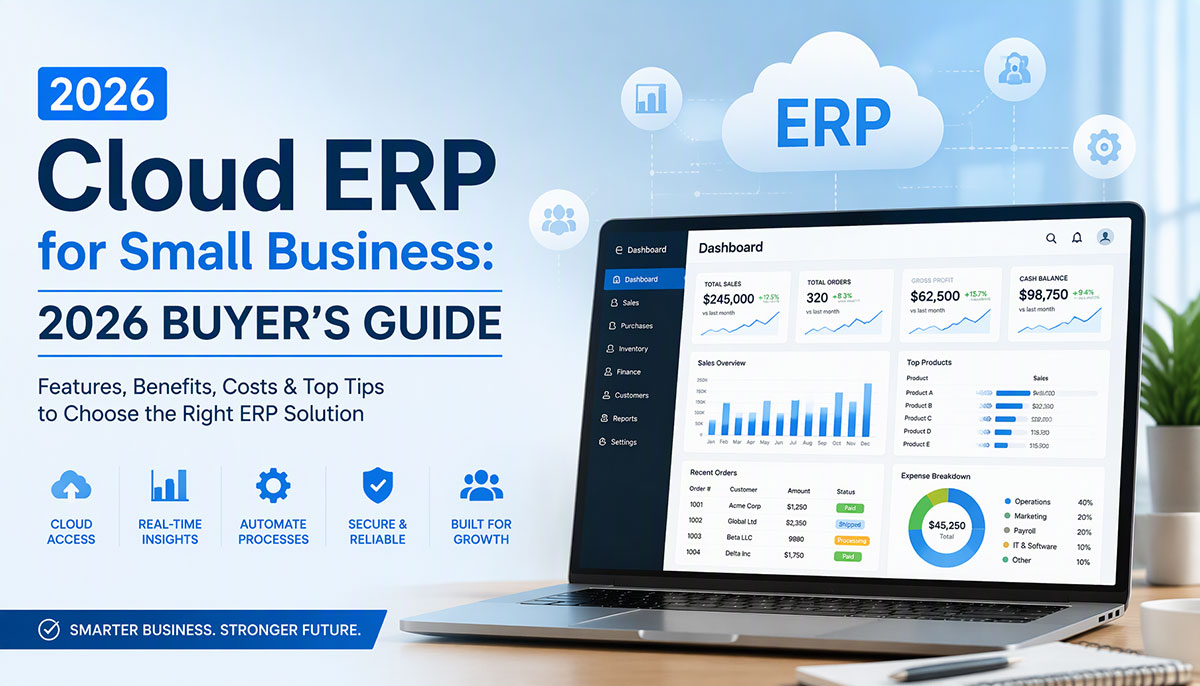
Small businesses need cloud ERP to reduce costs, scale flexibly, access data remotely, and receive automatic updates without managing infrastructure. Traditional on-premise ERP requires high capital expenditure ($50k-$500k), while cloud ERP operates on low monthly subscriptions ($50-$200 per user). This guide compares features, pricing, and the top 7 cloud ERP solutions for small businesses in 2026.
What Is Cloud ERP? (Definition + Benefits for Small Business)
Definition
Cloud ERP is web-based enterprise resource planning software hosted on the vendor’s servers rather than installed on your own hardware. Core modules include accounting, inventory management, CRM, HR/payroll, procurement, and reporting. Users access the system via web browser or mobile app without local installation.
Benefits for Small Businesses
Lower upfront costs: No server hardware or IT infrastructure investment required. Pay monthly subscriptions instead of large capital expenditures.
Scalability: Pay-as-you-grow pricing allows you to add modules and users as needed. Start with 5 users and scale to 50 without infrastructure changes.
Automatic updates: Vendors handle software upgrades, security patches, and feature releases automatically. No manual updates or IT staff required.
Remote access: Work from anywhere with internet connection. Critical for distributed teams, remote employees, and multi-location businesses.
Faster implementation: Cloud ERP deploys in 2-4 weeks on average compared to 6-12 months for on-premise ERP. Lower disruption to business operations.
Reduced IT overhead: Vendors manage hosting, backups, security, and server maintenance. Small businesses can operate without dedicated IT teams.
Cloud ERP vs On-Premise ERP (Comparison Table)
| Factor | Cloud ERP | On-Premise ERP | SMB Winner |
|---|---|---|---|
| Upfront cost | Low ($50-$500/user/month) | High ($50k-$500k capex) | Cloud |
| Implementation time | 2-4 weeks | 6-12 months | Cloud |
| IT resources required | Minimal (vendor-managed) | High (dedicated IT team) | Cloud |
| Customization | Limited (vendor-controlled) | Full (source code access) | On-premise |
| Data control | Vendor-hosted (less control) | Self-hosted (full control) | On-premise |
| Scalability | High (add users instantly) | Low (server capacity limits) | Cloud |
Key Features to Look for in Cloud ERP for Small Business
Core ERP Modules
Financial accounting: General ledger, accounts payable, accounts receivable, profit/loss statements, balance sheets, chart of accounts.
Inventory management: Stock tracking, warehouse management, low-stock alerts, batch/expiry tracking, automated purchase orders.
CRM: Lead management, sales pipeline tracking, customer database, contact history, opportunity management.
HR & payroll: Employee records, attendance tracking, leave management, payroll processing, benefits administration.
Procurement: Purchase order creation, vendor management, receiving, purchase requisitions, supplier catalogs.
Reporting & analytics: Customizable dashboards, KPI tracking, financial reports, inventory reports, sales analytics.
SMB-Specific Must-Haves
Simple onboarding: Wizard-driven setup, pre-configured workflows, minimal technical configuration required.
Affordable pricing: $50-$200 per user per month (vs enterprise ERP at $500+ per user). Transparent pricing models.
Mobile access: iOS and Android apps for on-the-go management. Mobile POS, inventory counts, expense approvals.
Third-party integrations: Connect to QuickBooks, Stripe, Shopify, PayPal, WooCommerce, Mailchimp, Slack, and other SMB tools.
Multi-currency and multi-language: Support for international SMBs conducting business across borders.
White-label options: For resellers and MSPs serving SMBs who want to rebrand ERP as their own product.
Security & Compliance
Data encryption: Encryption in transit (TLS/SSL) and at rest (AES-256 or equivalent).
Role-based access control (RBAC): Limit user permissions by role (accountant, manager, warehouse staff).
Two-factor authentication (2FA): Additional security layer beyond username/password.
Compliance certifications: GDPR for EU data protection, SOC 2 for security controls, ISO 27001 for information security management.
Automatic backups and disaster recovery: Daily backups, point-in-time restore, geo-redundant storage.
Top 7 Cloud ERP Solutions for Small Business (2026 Comparison)
These solutions are ranked by SMB fit, pricing affordability, and ease of use. The list includes mainstream SaaS vendors and white-label options for resellers.
#1 — Global IT Vision (Best for White-Label Resellers Serving SMBs)
What it is: Global IT Vision offers a portfolio of 60+ software products including cloud ERP, POS, CRM, HRMS, and industry-specific vertical solutions (school management, hotel PMS, hospital management, pharmacy, logistics). Products are available as white-label, cloud SaaS, on-premise licenses, or source code sales.
Best for: Resellers, MSPs, and VARs serving SMBs across 12+ industries who want to rebrand ERP as their own product.
Pricing: Contact for quote (custom pricing model based on deployment and modules).
Key features: Financial accounting, inventory management, CRM, HR/payroll, multi-industry modules across retail, F&B, healthcare, education, logistics, hospitality, real estate, and fitness.
Deployment options: Cloud SaaS, on-premise license, white-label, source code sales.
Pros: Multi-product portfolio creates upsell opportunities. Source code access provides customization freedom. Flexible deployment models (cloud, on-premise, white-label). International offices (Lahore, Bari, Baku).
Cons: No transparent public pricing. New brand with low domain authority. Limited public case studies.
White-label availability: Yes (full rebranding with logo, colors, custom features).
#2 — Odoo (Best Open-Source Cloud ERP for SMBs)
What it is: Odoo is a modular open-source ERP with cloud and on-premise options. Offers 40+ business applications including accounting, inventory, CRM, e-commerce, manufacturing, and project management.
Best for: SMBs seeking affordable, customizable ERP with a strong open-source community.
Pricing: Standard plan at $24.90 per user per month; Custom (Enterprise) plan at $37.40 per user per month. Free one-app plan available. Community Edition (self-hosted open-source) is free.
Key features: Modular app marketplace, accounting, inventory, CRM, e-commerce, manufacturing, project management, HR. No charge for external portal users or e-commerce visitors.
Deployment options: Cloud (hosted by Odoo) or on-premise (self-hosted).
Pros: Affordable per-user pricing. Modular design (start with 1-2 apps, add as needed). Strong community and third-party app marketplace. Open-source Community Edition available free.
Cons: Implementation costs $5,000-$100,000 depending on complexity. Total year-one investment typically 2-4× annual license fee. Limited vendor support on Community Edition.
#3 — Zoho Books (Best for Micro-Businesses)
What it is: Zoho Books is cloud-based accounting software with basic ERP capabilities. Part of the broader Zoho ecosystem (Zoho CRM, Zoho Inventory, Zoho People).
Best for: Micro-businesses (1-10 employees) needing basic accounting and invoicing rather than full ERP.
Pricing: Free plan for 1 user plus 1 accountant. Paid plans range from $15-$60 per month. Additional users cost $3 per user per month (monthly billing) or $2.50 per user per month (annual billing).
Key features: Invoicing, expense tracking, bank reconciliation, inventory tools, automation, financial reporting, online payments, client portal access, recurring invoices, time tracking.
Deployment options: Cloud only.
Pros: Affordable pricing with free tier. Easy to use. Integrates with broader Zoho ecosystem. Suitable for businesses with straightforward accounting needs.
Cons: Limited ERP functionality (primarily an accounting tool). Not suitable for complex revenue recognition, advanced consolidations, or industry-specific compliance. Businesses may outgrow it as they scale.
#4 — NetSuite (Best for Fast-Growing SMBs)
What it is: NetSuite is Oracle’s cloud ERP platform designed for mid-market businesses. Offers comprehensive ERP, CRM, e-commerce, and PSA (professional services automation) in a unified suite.
Best for: Fast-growing SMBs (10-500 employees) planning to scale into enterprise.
Pricing: Base platform fee starts at $999 per month plus $99-$199 per user per month. Small deployments (10 users, core ERP) cost approximately $12,000-$60,000 per year. Add-on modules (CRM, e-commerce, manufacturing, WMS) cost extra.
Key features: Financial management, order management, inventory, procurement, CRM, e-commerce, analytics. Industry-specific editions available.
Deployment options: Cloud only (multi-tenant SaaS).
Pros: Oracle-backed stability. Comprehensive feature set. Scales from small business to enterprise. Strong for e-commerce and wholesale/distribution.
Cons: High cost compared to other SMB solutions. Implementation costs $10,000-$35,000. Annual contracts required. No public pricing (quote-based).
#5 — SAP Business ByDesign (Best for Mid-Market SMBs)
What it is: SAP Business ByDesign is a cloud ERP platform designed for midsize companies (50-500 employees). Offers financials, CRM, supply chain, manufacturing, and project management.
Best for: Mid-market SMBs (100-500 employees) needing SAP ecosystem integration.
Pricing: Starts at $120 per user per month. Typical deployment (120 professional users, 85 team users, 40 limited users, multi-entity consolidation) costs $320,000-$520,000 per year. Standard discounts run 22-32%.
Key features: Multi-tenant cloud ERP, financials, CRM, supply chain, manufacturing, project management, analytics.
Deployment options: Cloud only.
Pros: SAP brand and ecosystem. Suitable for subsidiaries of SAP S/4HANA parents. Strong manufacturing and project-based services features.
Cons: Important: SAP removed Business ByDesign from the price list in April 2026. SAP is no longer selling new licenses. Existing customers should plan migration to SAP S/4HANA Public Cloud or alternative ERP platforms. High cost compared to other SMB options.
#6 — Microsoft Dynamics 365 Business Central (Best for Microsoft Ecosystem SMBs)
What it is: Microsoft Dynamics 365 Business Central is cloud ERP designed for small and mid-sized businesses. Tight integration with Office 365, Teams, Power BI, and Azure.
Best for: SMBs already using Microsoft 365 who want seamless integration with Teams, Outlook, Excel, and Power BI.
Pricing: Essentials license at $80 per user per month; Premium license at $110 per user per month (annual billing). Team Members license at $8 per user per month. Device license at $40 per month (shared).
Key features: Financial management, sales, service, operations, supply chain, manufacturing, project management. Native integration with Microsoft 365.
Deployment options: Cloud (Microsoft Azure) or on-premise (older Dynamics NAV version).
Pros: Familiar Microsoft user interface. Tight Office 365/Teams integration. Strong partner ecosystem. Scales from small business to enterprise.
Cons: Implementation costs $25,000-$150,000+. Ongoing support approximately 25% of implementation cost per year. November 2025 price increase raised costs.
#7 — Acumatica (Best for Industry-Specific SMBs)
What it is: Acumatica is cloud ERP with unlimited user pricing and industry-specific editions (manufacturing, distribution, retail, construction, commerce).
Best for: SMBs needing industry-specific ERP features with unlimited user access.
Pricing: Usage-based pricing (transaction volume, data storage, API calls) rather than per-user. Base starts around $1,800 per month. Annual subscription starts around $6,400 for small business tier. Typically $4,000-$8,000 per month in software licensing plus $30,000-$50,000 for implementation.
Key features: Financial management, distribution, manufacturing, construction, commerce, project accounting, field service. Industry-specific editions.
Deployment options: Cloud or on-premise.
Pros: Unlimited named users (no per-seat fees). Industry-specific configurations. Scalable as business grows. Flexible deployment (cloud or on-premise).
Cons: Usage-based pricing can be difficult to predict. Implementation costs $30,000-$50,000. Pricing is quote-based (not published).
Comparison Table: Top 7 Cloud ERP Solutions for SMBs
| Solution | Pricing | User Range | Best For | White-Label | Deployment |
|---|---|---|---|---|---|
| Global IT Vision | Contact for quote | Unlimited | Resellers/MSPs | Yes | Cloud, on-premise, white-label, source code |
| Odoo | $24-$50/user/mo | 1-1000+ | Open-source fans | No | Cloud, on-premise |
| Zoho Books | $0-$60/org/mo | 1-50 | Micro-businesses | No | Cloud only |
| NetSuite | $999+/mo base + $99-$199/user | 10-1000+ | Fast-growing SMBs | No | Cloud only |
| SAP Business ByDesign | $120+/user/mo (end-of-life) | 50-500 | Mid-market (sunset) | No | Cloud only |
| Dynamics 365 BC | $80-$110/user/mo | 10-500 | Microsoft ecosystem | No | Cloud, on-premise |
| Acumatica | Usage-based (~$1,800+/mo) | Unlimited | Industry-specific | No | Cloud, on-premise |
How Much Does Cloud ERP Cost for Small Business?
Pricing Models Explained
Per-user, per-month: Most common model (Odoo, Dynamics, SAP). Pay $50-$300 per user per month. Costs scale linearly with user count.
Flat-rate: Base platform fee plus optional modules (NetSuite). Pay $999+ per month for platform plus per-user fees.
Usage-based: Charges based on transactions, storage, or API calls (Acumatica). Pay for computing resources consumed rather than seats.
Freemium: Free tier with paid upgrades (Zoho). Start free and upgrade as business grows.
Custom pricing: White-label partners (Global IT Vision). Pricing negotiated based on deployment model, modules, and customization.
Total Cost of Ownership (TCO) Breakdown
Software licensing: $50-$200 per user per month average. For 10-user SMB: $500-$2,000 per month ($6,000-$24,000 per year).
Implementation and setup: $2,000-$20,000 one-time cost. Depends on data migration complexity, number of modules, and customization requirements.
Training: $500-$5,000 for onboarding and user training. Includes vendor-led sessions and documentation.
Data migration: $1,000-$10,000 to migrate from legacy systems (QuickBooks, Excel, old ERP).
Integrations: $500-$5,000 to connect cloud ERP to third-party tools (QuickBooks, Shopify, Stripe, WooCommerce).
Ongoing support: $100-$500 per month for vendor support plans and help desk access.
Customization: $5,000-$50,000 for custom features, white-label branding, or industry-specific workflows.
Total 1-Year TCO for 10-User SMB: $10,000-$50,000 (varies by vendor, modules, and customization needs).
ROI Calculator Example
Scenario: 10-user SMB with $100 per user per month cloud ERP subscription.
Year 1 costs: $12,000 licensing + $10,000 implementation + $2,000 training = $24,000 total.
Year 2+ costs: $12,000 per year (licensing + support).
Efficiency savings: 20-30% productivity gain from faster invoicing, inventory accuracy, automated reporting = $15,000-$25,000 per year in time savings.
Payback period: 12-18 months. After payback, net annual savings of $3,000-$13,000 per year.
How to Choose Cloud ERP for Your Small Business (Decision Framework)
Step 1 — Define Your Requirements
List must-have modules (accounting, inventory, CRM, HR, procurement). Identify integration needs (QuickBooks, Shopify, Stripe, PayPal). Determine budget ($50-$200 per user per month). Plan for growth (how many users will you have in 1-3 years?).
Step 2 — Evaluate Vendors
Request demos from 3-5 vendors. Test mobile apps (critical for remote teams and field workers). Check implementation timelines (2-4 weeks ideal for SMBs). Review customer reviews on G2, Capterra, and TrustRadius for real user feedback.
Step 3 — Assess Total Cost of Ownership
Calculate 3-year TCO (licensing + implementation + training + support + customization). Compare pricing models (per-user vs flat-rate vs usage-based). Factor in hidden costs (data migration, integrations, add-on modules).
Step 4 — Check White-Label Options (for Resellers)
If you’re an MSP, VAR, or IT services provider serving SMBs, consider white-label ERP (Global IT Vision). Rebrand the ERP as your own product and build recurring revenue. Upsell additional modules (POS, CRM, HRMS, vertical solutions) to existing clients.
Step 5 — Pilot Before Full Rollout
Start with 1-2 core modules (accounting and inventory) rather than full ERP suite. Train 5-10 users first and expand after success. Measure ROI after 90 days by tracking efficiency gains and error reduction.
FAQ — Cloud ERP for Small Business
What is the best cloud ERP for small business?
The best cloud ERP for small business depends on your industry, budget, and growth plans. Odoo is best for open-source fans, Zoho Books for micro-businesses, NetSuite for fast-growing SMBs, and Global IT Vision for resellers serving SMBs with white-label needs.
How much does cloud ERP cost for small business?
Cloud ERP costs $50-$200 per user per month on average. For a 10-user SMB, expect $500-$2,000 per month in licensing fees plus $10,000-$20,000 one-time implementation costs. Total 1-year cost: $10,000-$50,000 depending on customization needs.
What is the difference between cloud ERP and on-premise ERP?
Cloud ERP is hosted on vendor servers (web-based, monthly subscription, automatic updates). On-premise ERP is installed on your own servers (high upfront cost, full control, manual updates). Cloud ERP is better for SMBs due to lower costs and faster implementation.
How long does cloud ERP implementation take?
Cloud ERP implementation for small businesses takes 2-4 weeks on average (compared to 6-12 months for on-premise ERP). Timeline depends on data migration complexity, number of modules, and customization requirements. Pilot 1-2 modules first for faster deployment.
Can I customize cloud ERP for my business?
Yes, but customization options vary by vendor. SaaS vendors (NetSuite, SAP) offer limited customization via configuration settings. White-label vendors (Global IT Vision) offer full customization with source code access. Customization typically adds $5,000-$50,000 to total cost.
Is cloud ERP secure for small business?
Yes, cloud ERP vendors use enterprise-grade security including data encryption, two-factor authentication, role-based access control, and automatic backups. Check for GDPR, SOC 2, and ISO 27001 compliance certifications. Cloud ERP is often more secure than SMB-managed on-premise servers due to dedicated security teams.
Ready to Explore White-Label Cloud ERP for Your SMB Clients?
Cloud ERP offers small businesses lower costs, faster implementation, automatic updates, and remote access compared to traditional on-premise systems. The best solution depends on your industry, budget, and growth plans.
For resellers and MSPs serving SMBs: Global IT Vision offers white-label cloud ERP with 60+ products, source code access, and flexible deployment options. Contact us to discuss your white-label partnership or request a demo.
For SMB decision-makers: Compare the 7 solutions above and request demos from 3-5 vendors. Pilot 1-2 modules first and measure ROI before full rollout.
Sources
- Odoo ERP Pricing Guide 2026 | Top10ERP
- Odoo Pricing 2026: True Cost of Odoo | Swell
- Zoho Books Software Overview 2026 | Software Advice
- Zoho Books Pricing & Reviews 2026
- NetSuite ERP Pricing Guide 2026 | Top10ERP
- NetSuite Pricing 2026: $999 to $25K/mo | ERP Research
- SAP Business ByDesign Pricing 2026 | ERP Research
- SAP Business ByDesign: Sunset & Alternatives | ERP Pilot
- Microsoft Dynamics 365 Business Central Pricing Guide 2026 | Top10ERP
- Business Central Pricing 2026 | ERP Research
- Acumatica Cloud ERP Pricing Guide 2026 | Top10ERP
- Acumatica Pricing 2026 | ERP Research
One Response