
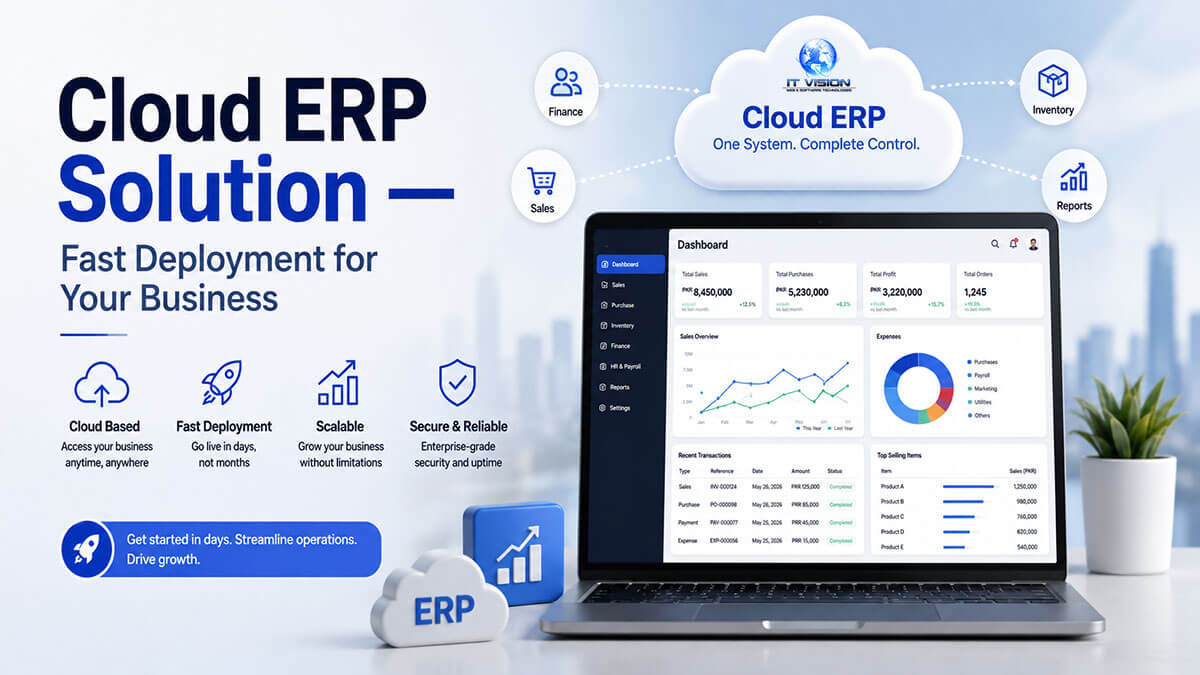
Cloud ERP is web-based enterprise resource planning software hosted on remote servers and accessed via browser. It uses a subscription pricing model (SaaS), eliminates on-premise servers, and provides automatic updates. Ideal for SMBs seeking lower upfront costs, fast deployment (typically 2-4 weeks), and remote access from any location.
Unlike traditional on-premise ERP that requires expensive server hardware ($10,000-$100,000+) and weeks of installation, cloud ERP runs entirely online. You log in through your web browser, and the vendor handles all server maintenance, security patches, and software updates. This approach works particularly well for small to mid-size businesses (10-500 employees), multi-location companies, remote teams, and any organization looking to avoid capital expenditure on IT infrastructure.
The four core benefits are: lower upfront cost (no server purchases or license fees), automatic updates (vendor-managed software patches and feature releases), remote access (work from anywhere with internet), and instant scalability (add users or modules without hardware upgrades).
Why Choose Global IT Vision Cloud ERP?
Most cloud ERP providers lock you into their platform with no source code access and force you to pay consultants for every customization. Global IT Vision takes a different approach—we combine the convenience of cloud ERP with the flexibility of full source code ownership.
60+ Pre-Built Products, 700+ Projects Delivered
IT Vision Private Limited (our parent company, based in Lahore, Pakistan) has developed over 60 software products across 12+ industry verticals and delivered 700+ projects since 2012. Our cloud ERP platform includes proven modules for financial accounting, inventory management, HR/payroll, CRM, manufacturing, and point-of-sale—all tested in real-world business environments across healthcare, education, hospitality, retail, and professional services.
Fast Deployment: Faster Than Enterprise ERP
Enterprise ERP implementations from NetSuite or SAP Business One typically take 60-90 days (or longer) because they require heavy customization, consultant involvement, and complex data migration. Our cloud ERP is pre-configured for common SMB workflows. We can deploy a standard system typically within 2-4 weeks total, compared to the 60-90 days or longer that enterprise ERP implementations require.
Transparent Pricing: Lower Than Enterprise ERP
Our standard cloud ERP plans start at a fraction of enterprise ERP cost—compare our transparent pricing to NetSuite’s $999+/month base fee (before per-user costs) or SAP Business One Cloud’s $80-$110 per user per month. All core modules included—financial accounting, inventory, HR/payroll, and CRM. Contact us for a quote tailored to your user count and module requirements.
White-Label + Source Code Available
This is a key differentiator. While most SaaS-only cloud ERP providers (NetSuite, SAP, Microsoft Dynamics 365) never sell source code, Global IT Vision offers full code ownership. If your business outgrows our hosted platform or needs deep customization, you can purchase the full source code ($15,000-$50,000 one-time fee) and host it yourself or resell it as your own white-label product.
Industry-Specific Modules Pre-Configured
Instead of selling a generic ERP that requires expensive consultant-driven customization, we offer vertical-specific versions:
- Healthcare: HIPAA-compliant patient billing, pharmacy inventory, lab integration (hospital management ERP)
- Education: Student enrollment, fee collection, library management, teacher payroll (school management system)
- Hospitality: F&B point-of-sale, housekeeping schedules, channel manager integration for online travel agencies (hotel property management system)
- Retail: Multi-location inventory sync, POS integration, e-commerce store synchronization
- Manufacturing: Bill of materials (BOM), production planning, work orders, shop floor control
No Consultant Dependency
NetSuite and SAP Business One require certified implementation consultants who charge $150-$300 per hour. We provide self-service setup with video tutorials, pre-configured workflows, and email/chat support included in your subscription. If you do need hands-on help, our implementation support is bundled into the deployment package—no hourly consulting fees. ERP implementation consulting
Cloud ERP Modules & Features
All modules are included in the base subscription—no per-module pricing like competitors charge.
1. Financial Accounting & Bookkeeping
Manage your complete chart of accounts, general ledger, accounts payable, accounts receivable, and bank reconciliation in one system. Generate financial statements (balance sheet, profit & loss, cash flow statement) with a single click. Multi-currency support lets you invoice customers and pay vendors in multiple currencies with automatic exchange rate conversion.
Compliance features include support for GAAP (Generally Accepted Accounting Principles) and IFRS (International Financial Reporting Standards) accounting standards, making the system suitable for businesses operating across different regulatory jurisdictions.
2. Inventory Management
Track stock across multiple warehouses and locations in real-time. Create purchase orders, manage stock transfers between locations, and use bin/serial/batch tracking for lot control. The system alerts you when stock hits reorder points and supports three inventory valuation methods: FIFO (First-In, First-Out), LIFO (Last-In, First-Out), and weighted average costing.
Multi-location inventory is critical for retail chains, distributors, and manufacturers who need visibility into stock levels across warehouses, stores, or production facilities.
3. HR & Payroll
Maintain employee master data (contact info, job titles, departments, salary details) in a centralized database. Track attendance, manage leave requests, process payroll calculations including tax deductions and provident fund contributions, and generate salary slips. The system produces compliance reports for tax authorities and handles statutory deductions automatically based on your country’s labor laws.
Features include employee self-service portals where staff can view their payslips, submit leave requests, and update personal information—reducing HR administrative workload.
4. CRM & Sales
Capture leads from your website or manual entry, track them through your sales pipeline from opportunity to quotation to closed deal. Manage customer history (past orders, support tickets, communication logs) in one place. Email integration connects to Gmail or Outlook so your sales team can log emails automatically. Task management assigns follow-ups, and sales reporting shows pipeline value, conversion rates, and rep performance.
5. Manufacturing & Production (Optional Module)
For manufacturers, the system handles bill of materials (BOM) creation, production planning, work order generation, and shop floor control. Material requirements planning (MRP) calculates raw material needs based on production schedules and current inventory levels. Capacity planning ensures you don’t overbook machine time or labor hours.
This module integrates tightly with inventory (raw materials and finished goods) and financial accounting (manufacturing cost tracking, work-in-progress valuation).
6. Point of Sale (Optional Module)
Integrate retail POS, restaurant POS, or pharmacy POS systems directly with your ERP. Inventory updates happen in real-time as sales occur, eliminating end-of-day reconciliation delays. Offline mode lets the POS operate during internet outages, then syncs transactions once connectivity returns. Payment gateway integration supports credit card processing through Stripe, PayPal, Square, or Authorize.net.
See our restaurant POS software and white-label POS for industry-specific POS solutions.
Cloud ERP vs. On-Premise ERP
Choosing between cloud and on-premise ERP depends on your budget, IT resources, and data control requirements.
| Feature | Cloud ERP | On-Premise ERP |
|---|---|---|
| Upfront Cost | Low (monthly subscription) | High (servers + licenses: $10k-$100k+) |
| Deployment Time | Fast (2-4 weeks typical) | 30-90 days |
| IT Staffing | No IT staff needed | Requires IT admin/DBA |
| Updates | Automatic (vendor-managed) | Manual (IT team installs patches) |
| Accessibility | Anywhere (browser + internet) | Office only (LAN/VPN required) |
| Scalability | Instant (add users/modules via subscription) | Hardware upgrade required |
| Data Backup | Automatic (vendor-managed daily backups) | Manual (IT team schedules backups) |
| Best For | SMBs, remote teams, multi-location businesses | Enterprises with dedicated IT, strict data residency laws |
Cloud ERP wins on cost and convenience. You avoid capital expenditure on servers, skip the multi-month implementation timeline, and don’t need to hire IT staff to maintain the system.
On-premise ERP wins on control. Some industries (defense contractors, government agencies, highly regulated financial institutions) cannot legally store data on third-party cloud servers due to data residency or compliance requirements. For these organizations, on-premise may be required.
If you need custom on-premise ERP for unique workflows or regulatory constraints, see our custom ERP development services.
Who Uses Cloud ERP? Industry-Specific Use Cases
1. Manufacturing SMBs
A manufacturing company with 50 employees making industrial components needs to manage bill of materials (BOM), production planning, inventory tracking across three warehouses, and supplier purchase orders. Cloud ERP provides BOM management (track every raw material and sub-assembly needed for each finished product), production scheduling (plan work orders and allocate machine time), multi-location inventory (see stock levels in real-time across warehouses and production floor), and integrated purchasing (auto-generate purchase orders when raw materials hit reorder points).
The result: reduced stockouts, faster production scheduling, and better visibility into manufacturing costs.
2. Retail & E-Commerce
A retail chain operating 12 stores plus an online Shopify store needs unified inventory visibility so they don’t oversell products online that are out of stock in warehouses. Cloud ERP syncs inventory across all locations and integrates with Shopify via API—when a customer buys a product online, inventory deducts from the warehouse in real-time. POS integration at each retail store also updates inventory instantly, preventing stock discrepancies.
Additional features: consolidated financial reporting (combine revenue from all stores and online channel), customer purchase history (see what customers bought in-store and online), and centralized vendor management (negotiate better pricing by tracking total purchases across all locations).
3. Healthcare Clinics & Hospitals
A 100-bed hospital needs to manage patient billing, pharmacy inventory, lab test results, and insurance claims. Cloud ERP designed for healthcare includes patient billing modules (insurance claims, patient invoicing, payment tracking), pharmacy inventory integration (track medication stock, expiry dates, dispensing logs), lab integration (receive test results from lab equipment, attach to patient records), and HIPAA compliance features (encrypted data storage, audit logs of who accessed patient records, role-based access control).
See our full hospital management ERP for the complete healthcare solution.
4. Education Institutions
A private school with 800 students needs student enrollment management, fee collection, library tracking, and payroll for 60 teachers. Cloud ERP for education handles student master data (enrollment, class assignments, parent contact info), fee management (tuition invoicing, payment tracking, arrears reporting), library management (book catalog, check-in/check-out, overdue notices), and HR/payroll for teaching staff.
Integration with biometric attendance devices automates student and teacher attendance tracking. See our school management system for education-specific features.
5. Hospitality (Hotels & Restaurants)
A boutique hotel with 40 rooms needs front-desk check-in, housekeeping schedules, restaurant point-of-sale for the on-site dining room, and channel manager integration to sync room availability with Booking.com and Expedia. Cloud ERP for hospitality includes reservation management (online booking, walk-in reservations, room assignment), housekeeping workflows (room cleaning schedules, maintenance requests), F&B POS integration (restaurant/bar sales sync with hotel billing), and channel manager API connections (automatic room rate and availability updates to OTAs).
See our hotel property management system for the complete hotel solution.
6. Professional Services (Agencies, Consultancies)
A marketing agency with 25 employees running client projects needs project accounting (track billable hours per client), time tracking (timesheets for each project), client invoicing (bill clients based on hours or fixed fees), and expense management (track project expenses like travel, software subscriptions, subcontractor fees). Cloud ERP for professional services offers project-based accounting (separate P&L per client or project), integrated time tracking (employees log hours against projects, auto-generate invoices), expense tracking and reimbursement, and client reporting (show clients exactly what they’re paying for with detailed timesheets and expense breakdowns).
Deployment Options & Pricing
We offer three deployment models to fit different business needs and budgets.
1. Standard Cloud (Multi-Tenant SaaS)
How it works: Your data lives on shared infrastructure alongside other customers (isolated databases—you can’t see their data, they can’t see yours). The vendor manages all servers, security patches, and backups.
Pricing: Contact for quote (significantly lower than NetSuite’s $999+/mo or SAP’s $80-$110/user/mo). We offer tiered plans (Basic, Pro, Enterprise) based on features and user count. All tiers include core modules; higher tiers add manufacturing, advanced reporting, and API access.
Best for: Small businesses (10-100 employees) with standard workflows, budget-conscious buyers who want minimal upfront investment.
Support: Email and chat support, 48-hour response SLA.
2. Private Cloud (Single-Tenant)
How it works: Your company gets a dedicated server instance. Higher data isolation than multi-tenant SaaS, better performance for high-transaction-volume businesses.
Pricing: $500-$2,000/month (fixed fee, unlimited users within reason).
Best for: Mid-size businesses (100-500 employees) needing custom modules, compliance requirements (HIPAA, SOC 2), or high transaction volumes that would slow down on shared infrastructure.
Support: Phone support, 24-hour response SLA, dedicated account manager.
3. Source Code Purchase (White-Label)
How it works: You buy the full ERP codebase and can self-host, modify anything, or resell it as your own white-label product to other businesses.
Pricing: $15,000-$50,000 one-time fee (varies by modules included), plus optional managed hosting at $200-$500/month if you don’t want to run your own servers.
Best for: Software resellers, IT companies serving multiple clients, businesses requiring deep customization that SaaS plans don’t support, agencies building vertical SaaS products.
Support: Developer documentation, 90-day implementation support, white-label reseller rights.
See our white-label ERP partner program for reseller details.
Pricing Comparison: Global IT Vision vs. Competitors
| Provider | Pricing | Setup Fee | Users | Notes | Source | Verified |
|---|---|---|---|---|---|---|
| Global IT Vision | Contact for quote | $0 | 5-50 | Transparent, all modules included | Internal pricing | 2026-08-26 |
| NetSuite | $999+/mo base + $99-$199/user/mo | $25,000-$750,000 | 10+ | Enterprise-only, per-user pricing, heavy implementation costs | ERP Research, Broken Rubik | 2026-08-26 |
| SAP Business One Cloud | $80-$110/user/mo | Contact for quote | 5+ | Per-user pricing, consultant-dependent | ERP Research, CostBench | 2026-08-26 |
| Odoo Enterprise | $25-$35/user/mo | $15,000-$80,000 (implementation) | 10+ | Open-source, hidden implementation costs | iVenture Team, WhizzBridge | 2026-08-26 |
| Microsoft Dynamics 365 Business Central | $80-$110/user/mo | $25,000-$150,000+ | 5+ | Per-user pricing, high implementation fees | ERP Research, Nevastech | 2026-08-26 |
Key takeaway: Contact us for pricing that’s significantly lower than enterprise competitors. NetSuite costs roughly $2,000-$3,000/month ($24,000-$36,000/year), SAP Business One Cloud costs $800-$1,100/month ($9,600-$13,200/year), and Microsoft Dynamics 365 costs $800-$1,100/month ($9,600-$13,200/year)—all before implementation fees. Our pricing is a fraction of these costs.
Cloud ERP Security & Compliance
Data Security
- 256-bit SSL encryption: All data transmitted between your browser and our servers is encrypted using industry-standard SSL/TLS protocols (the same encryption banks use for online banking).
- SOC 2 compliance (in progress): We are undergoing SOC 2 Type II audit, which validates our security controls, data handling procedures, and operational practices.
- Daily backups: Automated daily backups with 30-day retention, stored in geographically separate data centers for disaster recovery.
- Disaster recovery: We maintain hot standby servers in a secondary data center. If the primary data center fails, we can restore service within 4 hours.
Access Control
- Role-based permissions (RBAC): Assign granular permissions by user role—accountants see financial data but not HR salaries, warehouse staff see inventory but not customer credit card info.
- IP whitelisting: Restrict login access to specific office IP addresses (optional security feature for businesses worried about remote login risks).
- Two-factor authentication (2FA): Require employees to enter a code from their phone in addition to their password when logging in.
Compliance
- GDPR-ready: EU customers can export all their data in machine-readable format (CSV, JSON) and request permanent deletion if they terminate their subscription.
- HIPAA compliance (healthcare module): For healthcare customers, we offer business associate agreements (BAA), encrypted databases, and audit logs showing who accessed patient records and when.
- Audit logs: Track every user action (who edited what record, when, and from which IP address) for compliance investigations or internal audits.
Data Residency
We offer data center options in the US, EU, and Asia. If your business operates under data residency laws (for example, GDPR requires EU customer data to stay within EU borders), you can choose an EU-based data center. The software functions identically—only the physical server location changes.
Addressing Common Objections
Objection: “Cloud is less secure than on-premise.”
Response: Enterprise-grade cloud security (256-bit SSL, SOC 2, daily backups, 2FA) exceeds the security capabilities of most small business on-premise setups. A typical SMB running on-premise ERP has no dedicated IT security team, inconsistent backup schedules, and servers sitting in unlocked closets. Cloud ERP providers invest heavily in security infrastructure, 24/7 monitoring, and redundancy—resources no individual SMB can match.
Objection: “Cloud means I lose control of my data.”
Response: You own your data. Our contract explicitly states you can export all data in CSV or SQL format at any time (no vendor lock-in). If you terminate your subscription, we provide 30 days to download everything before permanent deletion. Unlike some SaaS providers who hold your data hostage, we give you full portability.
Cloud ERP Implementation Process
Here’s our standard 5-step implementation framework for deploying cloud ERP quickly.
Step 1: Discovery & Requirements (Day 1-2)
We meet with your team (via video call or in-person) to document: which modules you need (financial accounting, inventory, HR/payroll, CRM, manufacturing, POS), user count and roles (how many accountants, warehouse staff, managers need access), integrations required (Shopify, QuickBooks, payment gateways), and training needs (self-service video tutorials vs. hands-on live training).
Deliverable: Requirements document listing all modules, integrations, and user roles.
Step 2: System Configuration (Day 3-5)
We configure the system based on your requirements: set up your chart of accounts (import from existing accounting software or create from template), add inventory items (product catalog, SKUs, pricing), create user accounts and assign role-based permissions, and configure workflows (approval processes for purchase orders, expense reimbursements, leave requests).
Deliverable: Configured system in a staging environment (test environment where you can click around safely without affecting live data).
Step 3: Data Migration (Day 5-7)
We import your existing data from spreadsheets, QuickBooks, or legacy ERP: customer master data (names, contact info, payment terms), vendor/supplier data (contact details, payment terms), inventory data (current stock levels, product descriptions, pricing), and opening balances (general ledger balances, accounts payable/receivable balances as of go-live date).
Deliverable: All historical data migrated into the cloud ERP, validated for accuracy.
Step 4: Training & Testing (Day 7-10)
We train your team via video tutorials (self-paced learning modules covering each module) or live training sessions (1-2 hour sessions for each department: accounting, warehouse, HR). Your team then performs user acceptance testing (UAT) in the staging environment: create test invoices, test purchase orders, run payroll for one employee, and verify reports match expected output.
Deliverable: Trained users, UAT sign-off confirming the system works as expected.
Step 5: Go-Live & Support (Day 10-14)
Once UAT is complete, we move you to the production environment (live system). We provide go-live support (dedicated support during the first week to handle any questions or issues), ongoing email/chat support (included in subscription—no hourly fees), and monthly check-ins (optional account manager calls to review usage, answer questions, discuss feature requests).
Deliverable: Live cloud ERP system, ready for daily use.
Average go-live time: Typically 2-4 weeks (compared to 60-90 days for NetSuite or SAP Business One implementations, which require consultant-heavy customization and complex change management).
Cloud ERP Integrations
Pre-built API integrations connect your cloud ERP to the tools you already use.
Payment Gateways
Accept credit card payments through Stripe, PayPal, Square, or Authorize.net. When a customer pays an invoice online, the payment automatically records in your ERP and marks the invoice as paid—no manual data entry.
E-Commerce Platforms
Sync inventory and orders with Shopify, WooCommerce, Magento, or BigCommerce. When a customer orders a product on your online store, the ERP deducts inventory in real-time and creates a sales order. When you update product pricing in the ERP, it syncs to your online store automatically.
Accounting Software
For businesses transitioning from QuickBooks or Xero but wanting to keep using those tools for a hybrid period, we offer two-way sync. Invoices created in QuickBooks push to the ERP, or vice versa.
CRM Systems
If your sales team uses Salesforce or HubSpot, we can integrate so sales opportunities in the CRM automatically become sales orders in the ERP once deals close—no re-keying customer data.
Shipping Carriers
Connect to FedEx, UPS, or DHL APIs to generate shipping labels directly from sales orders, track packages, and automatically update customers with tracking numbers.
Communication Tools
Send notifications to Slack or Microsoft Teams when critical events happen (low stock alerts, new purchase order approvals needed, payroll processed successfully).
Email Providers
Send invoices, purchase orders, and payroll slips via Gmail or Outlook SMTP integration. Customers receive professional-looking PDF invoices directly from your company email address.
Channel Managers (Hospitality-Specific)
For hotels, integrate with Booking.com, Expedia, and other online travel agencies (OTAs) via channel manager APIs. When someone books a room on Booking.com, inventory updates in your ERP automatically, and the room becomes unavailable on other OTA channels (prevents double-booking).
Custom API
Our RESTful API allows developers to build custom integrations for any system not covered above. Full API documentation is included with Enterprise plans or source code purchases.
Frequently Asked Questions
What is cloud ERP and how does it work?
Cloud ERP is enterprise resource planning software hosted on the vendor’s servers and accessed through your web browser. Instead of installing software on your office computers and running your own servers, you log in to a website, and all the data and processing happens remotely. The vendor handles server maintenance, security updates, and backups. You pay a monthly subscription per user, similar to Netflix or Microsoft 365.
How much does cloud ERP cost?
Global IT Vision cloud ERP pricing is significantly lower than enterprise competitors. Contact us for a quote based on your user count and module needs. SAP Business One Cloud costs $80-$110 per user per month. Microsoft Dynamics 365 Business Central costs $80-$110 per user per month. NetSuite costs $999+ per month for the base platform plus $99-$199 per user per month. Unlike those competitors, our pricing includes all modules (financial accounting, inventory, HR/payroll, CRM) with no extra per-module fees.
What are the benefits of cloud ERP?
The four main benefits are: (1) lower cost—no server hardware to buy, no expensive licenses, just a monthly subscription; (2) fast deployment—go live in weeks instead of months typical for on-premise ERP; (3) remote access—work from home, the office, or while traveling using any device with a web browser; (4) automatic updates—the vendor releases new features and security patches automatically, no manual software upgrades.
Is cloud ERP secure?
Yes. Reputable cloud ERP providers use 256-bit SSL encryption (the same security banks use), role-based access control (so employees only see data relevant to their job), two-factor authentication (2FA), daily backups stored in separate data centers, and SOC 2 compliance audits. For most small businesses, cloud ERP is more secure than on-premise systems because SMBs rarely have dedicated IT security staff or budget for enterprise-grade security infrastructure.
How long does cloud ERP implementation take?
Global IT Vision deploys cloud ERP faster than enterprise solutions for standard SMB implementations. NetSuite and SAP Business One typically take 60-90 days or longer because they require heavy customization, consultant involvement, and complex change management. Our faster timeline comes from pre-configured industry templates and self-service setup—no need to wait for consultants to configure every field manually.
Can I customize cloud ERP?
Yes. Standard cloud plans (multi-tenant SaaS) support custom fields, custom workflows, and custom reports through our configuration interface—no coding required. For deeper customization (changing core business logic, adding entirely new modules), you can purchase the full source code ($15,000-$50,000 one-time) and modify anything. NetSuite, SAP, and Microsoft Dynamics 365 are SaaS-only—they don’t sell source code, so you’re limited to whatever customizations their platform allows.
What industries use cloud ERP?
Common industries include: manufacturing (BOM, production planning, inventory), retail and e-commerce (multi-location inventory, POS integration), healthcare (patient billing, pharmacy inventory, HIPAA compliance), education (student enrollment, fee management, library), hospitality (hotel reservations, restaurant POS, channel manager integration), and professional services (project accounting, time tracking, client billing). Global IT Vision has delivered 700+ projects across these verticals, with industry-specific pre-configured modules for faster deployment.
Cloud ERP vs. on-premise ERP — which is better?
Cloud ERP is better for most SMBs: lower upfront cost (monthly subscription vs. $10,000-$100,000+ for servers and licenses), faster deployment (typically 2-4 weeks vs. 30-90 days), no IT staff needed (vendor manages everything), and remote access from anywhere. On-premise ERP is better for large enterprises with dedicated IT teams, businesses with strict data residency laws (government contractors, defense industry), or companies needing air-gapped systems (no internet connectivity for security reasons). For 90% of small and mid-size businesses, cloud ERP is the right choice.
Can I migrate from QuickBooks or Excel to cloud ERP?
Yes. Data migration is included in all implementations. We import customer data, vendor data, inventory items, and opening general ledger balances from QuickBooks, Excel, or other accounting software. Migration typically takes 3-5 days: export data from your current system (CSV or QuickBooks backup file), clean and validate data (fix duplicate records, standardize formats), import into cloud ERP, and verify accuracy (compare trial balances, check customer/vendor counts). Most businesses can continue using QuickBooks during migration and switch to cloud ERP on a specific go-live date.
What happens if I cancel my cloud ERP subscription?
You can export all your data in CSV, Excel, or SQL format. We provide 30 days of data retention after cancellation, giving you time to download everything. There are no cancellation fees, early termination penalties, or data hostage situations. You own your data, and the contract guarantees full data portability. This is different from some SaaS providers who charge “data export fees” or make it difficult to leave—we want you to stay because the product works well, not because we’ve locked you in.
Get Started with Cloud ERP Today
Ready to deploy cloud ERP quickly with no server hardware, no consultant fees, and transparent pricing?
Start Free Trial — 14-day trial, no credit card required. Test all modules (financial accounting, inventory, HR/payroll, CRM) with your own data before committing.
Request a Demo — Schedule a live demo with our product team. We’ll walk you through the system, answer questions, and show industry-specific features for your business.
Learn More
- For SMBs: Read our guide on cloud ERP for small business to understand which modules you need and how to avoid common implementation mistakes.
- Pricing details: See our cloud ERP pricing breakdown for detailed cost comparisons vs. NetSuite, SAP, and Microsoft Dynamics 365.
- Buyer’s guide: Not sure if cloud ERP is right for you? Read how to choose the right cloud ERP for a decision framework.
For Resellers & Partners
If you’re an IT company, MSP, or VAR looking to add cloud ERP to your product portfolio without building from scratch, see our white-label ERP partner program. Purchase the source code, rebrand it as your own, and resell to your clients with 100% margin.
Need Custom On-Premise ERP?
If cloud ERP doesn’t fit your requirements (strict data residency laws, air-gapped environment, extreme customization needs), explore our custom ERP development services. We build bespoke on-premise ERP systems tailored to unique workflows.
Sources
Competitor Pricing Verification Sources:
- NetSuite Pricing: ERP Research – NetSuite Pricing 2026, Broken Rubik – NetSuite Pricing Guide
- SAP Business One Cloud Pricing: ERP Research – SAP Business One Pricing, CostBench – SAP Business One Pricing 2026
- Odoo Enterprise Pricing: iVenture Team – Odoo Pricing 2026, WhizzBridge – Odoo Pricing Guide
- Microsoft Dynamics 365 Business Central Pricing: ERP Research – Business Central Pricing, Nevastech – Dynamics 365 Pricing Guide