
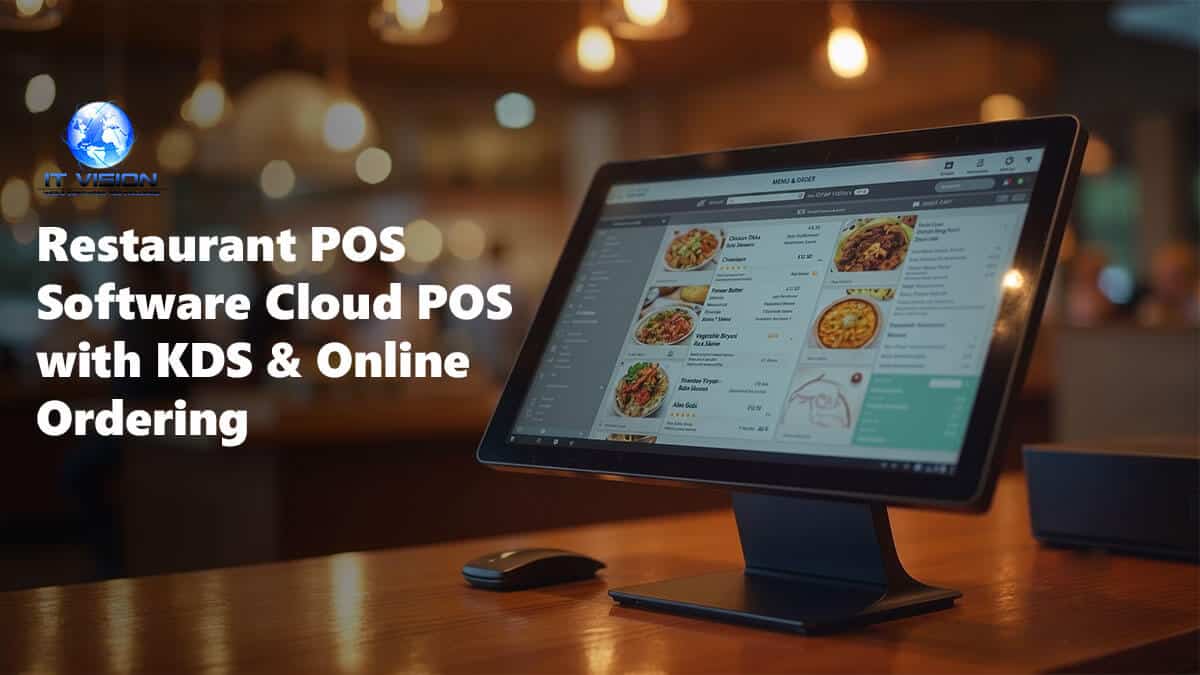
Restaurant POS software manages orders, payments, inventory, and kitchen operations for restaurants, cafes, and QSRs. Modern cloud POS systems include kitchen display systems (KDS), table management, online ordering, delivery integrations, and real-time reporting—helping restaurants improve speed, reduce errors, and increase revenue across dine-in, takeaway, and delivery channels.
Restaurant POS software from Global IT Vision is a point-of-sale system designed for full-service restaurants, quick-service restaurants (QSRs), cafes, bakeries, and cloud kitchens. The system manages order taking (dine-in, takeaway, delivery), kitchen display integration, table reservations, split billing, and inventory tracking for perishable ingredients. Unlike generic retail POS systems, restaurant-specific features include recipe costing (ingredient-level profit tracking), modifier management for customizable menu items, and kitchen production workflows that route orders to prep stations, grill, fryer, or bar based on item type. The system operates in offline mode during internet outages, synchronizing transactions when connectivity returns, and supports integration with third-party delivery platforms (Uber Eats, DoorDash) via API. Available as cloud SaaS or on-premise deployment, the platform handles multi-location chains with centralized menu management and consolidated reporting across all outlets.
Why Restaurants Need Modern POS Software
Restaurants managing orders, payments, inventory, and kitchen operations with legacy cash registers or disconnected systems face slow service, order errors, and limited visibility into sales and inventory. A cloud restaurant POS consolidates front-of-house and back-of-house operations—order management, Kitchen Display System (KDS), table management, online ordering, delivery integrations, and real-time reporting—into one platform that works online and offline. Global IT Vision delivers complete restaurant POS solutions for QSR, fine dining, cafes, bars, food trucks, and multi-location restaurant chains across 12+ industry verticals.
Why Choose Global IT Vision Restaurant POS?
Global IT Vision Restaurant POS is built for restaurants that need feature-complete, affordable, and flexible POS software without hardware lock-in, long-term contracts, or expensive processing fees. We serve quick-service restaurants (QSR), fine dining, cafes, bars, food trucks, and multi-location chains.
Complete restaurant POS: Front-of-house to back-of-house—order management, payments, KDS, table management, inventory, online ordering, and reporting in one platform.
Kitchen Display System (KDS): Real-time order routing to kitchen stations, cook time tracking, order prioritization, and bump screens reduce ticket times and eliminate paper tickets.
Table management & floor plan designer: Visual floor plan with table status (occupied, reserved, available), drag-and-drop table assignments, split billing, and server sections optimize table turnover and reduce wait times.
Online ordering integration: Website widget, mobile app, and QR code ordering (contactless) bring delivery and takeaway orders directly into your POS for seamless order management.
Delivery partner integrations: UberEats, DoorDash, Grubhub, Deliveroo, and other third-party delivery APIs route delivery orders into your POS and sync menu updates automatically.
Multi-location support: Restaurant chains and franchises benefit from centralized reporting, consolidated inventory, franchise management, and corporate dashboards across all locations.
Offline mode: Continue taking orders and processing payments when internet is down. Orders sync automatically when connection returns—no lost sales.
Cloud-based + on-premise options: Deploy as cloud SaaS for automatic updates and remote access, or choose on-premise installation for data sovereignty and full control.
White-label available: IT companies, POS resellers, and system integrators can rebrand our restaurant POS and offer it to their clients as their own product.
Key Features
| Feature | Description |
|---|---|
| Order Management | Dine-in, takeaway, and delivery orders; table-side ordering via mobile POS; coursing and firing controls |
| Kitchen Display System (KDS) | Real-time order routing to kitchen stations, cook time tracking, order prioritization, bump screens, expo view |
| Table Management | Floor plan designer, table status (occupied, reserved, available), split billing, merge tables, server sections |
| Menu Management | Digital menu, modifiers and combos, daily specials, pricing by location, menu versions (breakfast, lunch, dinner) |
| Inventory Management | Ingredient tracking, recipe costing, stock alerts, waste management, purchase orders, supplier management |
| Payment Processing | Stripe, PayPal, cash, credit/debit cards, contactless payments, split payments, tip management, refunds |
| Online Ordering | Website ordering widget, mobile app, QR code ordering (contactless), order scheduling, delivery radius |
| Delivery Integrations | UberEats, DoorDash, Grubhub, Deliveroo integration (third-party delivery APIs), auto-sync menu and pricing |
| Customer Loyalty | Points-based loyalty, rewards, discounts, birthday offers, SMS marketing, customer profiles |
| Reports & Analytics | Sales reports, top-selling items, peak hours analysis, labor cost tracking, profit margin analysis, server performance |
Restaurant POS Benefits
1. Faster Service
KDS eliminates paper tickets and reduces kitchen ticket times by routing orders directly to prep stations. Table management speeds turnover by showing available tables in real-time. Mobile POS allows servers to take orders tableside and send them instantly to the kitchen—cutting average service time and increasing table turns per shift.
2. Increase Revenue
Online ordering captures delivery and takeaway sales without third-party commission fees (orders come directly through your website). Loyalty programs bring customers back more frequently. Upsell prompts remind servers to suggest appetizers, desserts, or drink pairings—increasing average ticket size.
3. Reduce Errors
Digital orders go straight to the kitchen with no handwriting mistakes or miscommunication. Modifiers (no onions, extra cheese) appear clearly on KDS screens. Split billing and course firing are automated—no manual calculations or forgotten items.
4. Control Costs
Track ingredient usage in real-time with recipe costing to identify waste and shrinkage. Stock alerts prevent running out of popular items during peak hours. Labor cost tracking shows staff efficiency and overtime trends. Reduce food cost percentage with better portion control and inventory visibility.
5. Multi-Location Management
Restaurant chains benefit from centralized reporting across all locations. Consolidated inventory management reduces stock duplication and enables bulk purchasing. Franchise management tools provide corporate visibility while maintaining site-level permissions and pricing flexibility.
Pricing & Deployment
Global IT Vision offers flexible pricing and deployment models to fit restaurant budgets and technical requirements.
Cloud SaaS: Per-terminal pricing model (contact us for quote). Restaurants pay monthly or annually based on licensed terminals. Includes automatic updates, cloud hosting, and technical support. No long-term contracts required.
On-Premise License: One-time perpetual license based on terminal count and module selection. Restaurant owns the software and hosts it on their own hardware. Ideal for restaurants requiring data sovereignty or offline-first operation.
White-Label Reseller Program: IT companies and POS resellers can rebrand our restaurant POS and offer it to their clients. Flexible pricing models for resellers—license per deployment or revenue sharing.
Pricing context: Toast POS charges $69/month per terminal for their Point of Sale plan, with processing fees of 2.49% + $0.15 for in-person transactions and 3.50% + $0.15 for online orders—resulting in real monthly costs of $1,500-$2,500+ for most single-location restaurants when factoring in processing fees, hardware, and add-ons (source, source). Clover Full-Service POS costs $189/month for the Advanced plan with transaction fees of 2.3%-2.6% + $0.10 for in-person transactions and 3.5% + $0.10 for online or keyed-in payments (source). Square for Restaurants offers a free plan with 2.6% + 15¢ for in-person transactions (3.3% + 30¢ for online orders), or paid plans starting at $49/month (Plus) and $149/month (Premium) with reduced processing fees of 2.5% + 15¢ and 2.4% + 15¢ respectively (source). Global IT Vision targets restaurants seeking affordable, hardware-agnostic POS without lock-in contracts or forced processing fees.
Restaurant Types We Serve
Quick Service Restaurants (QSR): Fast food chains, coffee shops, juice bars, ice cream shops, food courts, concession stands.
Fine Dining & Full-Service Restaurants: Upscale dining, steakhouses, seafood restaurants, bistros, family-style restaurants, casual dining.
Cafes & Bakeries: Coffee shops, bakeries, patisseries, breakfast cafes, sandwich shops, dessert cafes.
Bars & Nightclubs: Sports bars, cocktail bars, wine bars, pubs, nightclubs, brewery taprooms (beverage-focused POS).
Food Trucks & Pop-Ups: Mobile food vendors, food truck fleets, pop-up restaurants, catering operations, farmers market vendors.
Restaurant Chains & Franchises: Multi-location restaurant groups, franchise operations, corporate-owned chains, ghost kitchens.
Restaurant POS vs. Traditional Cash Register
| Feature | Modern Restaurant POS | Traditional Cash Register |
|---|---|---|
| Order Management | KDS, table management, coursing, modifiers, mobile ordering | Manual ticket writing, no automation, handwriting errors |
| Kitchen Communication | Real-time digital KDS, order routing, cook timers | Paper tickets, manual delivery to kitchen, lost or unreadable tickets |
| Payment Processing | Integrated card processing, split payments, tips, contactless | Cash only or separate card terminal, manual reconciliation |
| Inventory Tracking | Real-time stock levels, recipe costing, auto-depletion, alerts | Manual stock counts, no visibility, frequent shortages |
| Online Ordering | Integrated website ordering, delivery apps, QR codes | No online ordering capability, phone orders only |
| Reporting & Analytics | Real-time dashboards, sales trends, labor cost, profit margins | End-of-day cash count only, no sales analysis |
| Multi-Location | Centralized reporting, consolidated inventory, corporate dashboards | Separate registers per location, no visibility |
| Offline Mode | Continue taking orders and payments offline, auto-sync when back online | Cash register works offline, but no card processing |
FAQs
What is restaurant POS software?
Restaurant POS software is a point-of-sale system that manages orders, payments, inventory, and kitchen operations for restaurants. Modern cloud POS includes Kitchen Display System (KDS), table management, online ordering, delivery integrations, and real-time reporting—replacing legacy cash registers and paper tickets with automated workflows and centralized data.
Do you offer a Kitchen Display System (KDS)?
Yes. Global IT Vision Restaurant POS includes a full Kitchen Display System with real-time order routing to kitchen stations, cook time tracking, order prioritization, and bump screens. KDS eliminates paper tickets, reduces ticket times, and improves kitchen efficiency. Multi-station KDS routes prep tasks to grill, fry, salad, and expo stations automatically.
Can we integrate with UberEats and DoorDash?
Yes. Our restaurant POS integrates with UberEats, DoorDash, Grubhub, Deliveroo, and other third-party delivery platforms via API. Delivery orders flow directly into your POS and appear on KDS screens alongside dine-in orders. Menu updates and pricing sync automatically across all platforms.
Does the POS work offline?
Yes. Global IT Vision Restaurant POS includes offline mode. Continue taking orders and processing payments when internet is down. Orders sync automatically when connection returns—no lost sales or manual data entry. Offline mode is critical for restaurants in areas with unreliable internet or during peak hours when connectivity is essential.
Can we manage multiple restaurant locations?
Yes. Our restaurant POS supports multi-location chains and franchises with centralized reporting, consolidated inventory, and corporate dashboards. Restaurant owners access real-time sales, inventory, and labor data across all locations. Maintain site-level pricing, menus, and permissions while benefiting from corporate visibility and bulk purchasing.
How much does restaurant POS software cost?
Pricing depends on deployment model, terminal count, and module selection. Cloud SaaS uses per-terminal pricing (contact us for quote). On-premise licenses are one-time fees based on terminal count. White-label reseller pricing available for IT companies and POS resellers. Contact us for a personalized quote based on your restaurant type and requirements.
Ready to Upgrade Your Restaurant POS?
Global IT Vision Restaurant POS delivers complete order management, KDS, table management, online ordering, delivery integrations, and real-time reporting for QSR, fine dining, cafes, and multi-location chains—without hardware lock-in or forced processing fees.
Book a Demo: See our restaurant POS and Kitchen Display System in action with a live demo tailored to your restaurant type. Contact us at https://globalitvision.com/contact-us/ or request a demo at https://eloerp.net/schedule-demo.
Explore White-Label POS: IT companies and POS resellers can rebrand our restaurant POS and offer it to their clients. Learn more about our white-label POS software and POS reseller program.
Related Solutions: Hotel Property Management System, Inventory Management System, Cloud Campus (School Management)
Sources
Global IT Vision Product Information
- Live POS demo: https://eloerp.net/schedule-demo
- Restaurant POS portfolio: https://globalitvision.com
Competitor Pricing Research
- Toast POS pricing: Toast Pricing: How Much Does This POS System Cost? [2026]
- Toast POS total cost breakdown: Toast POS Pricing 2026: What It Really Costs
- Clover POS restaurant pricing: Clover POS Pricing Breakdown: Fees & Hidden Costs (2026)
- Square for Restaurants pricing: Square for Restaurants Review 2026: Features & Pricing
- Square for Restaurants plans: Square for Restaurants Pricing 2026 | Capterra
- Restaurant POS pricing overview: Restaurant POS System Cost in 2026
Industry Standards & Integration Partners
- Third-party delivery APIs: UberEats, DoorDash, Grubhub, Deliveroo developer documentation
- Payment processing: Stripe.com, PayPal.com integration documentation
- QSR (Quick Service Restaurant) definition: National Restaurant Association